Getting Started

Welcome to
OneHazel

Everything your casino operation needs: connected, automated, and visible.

11 slides · 3 min

The big picture

Three things OneHazel does

Everything in the platform builds on these three ideas.

🔌

Connect

Link your casino to outside tools: payment providers, KYC services, affiliate platforms, and 300+ more. No code required.

Automate

Set up "if this happens, do that" workflows. Build them by dragging boxes. They run silently in the background, 24/7.

📊

See results

All your key numbers (players, revenue, activity) in one place. No more logging into five different systems.

1
Finding your way

The sidebar is your home base

Everything is reachable from the left-hand menu, grouped into four sections.

  • 🔌Connect — Browse tools, manage connections, build workflows.
  • 🔧Private Connections — Build and manage custom connectors for your own tools.
  • 📊Insights — Your analytics dashboard with all the key numbers.
  • 👤Account — Team members, billing, and settings.

On your first day you'll mostly live in Connect to set things up, and Insights to see results.

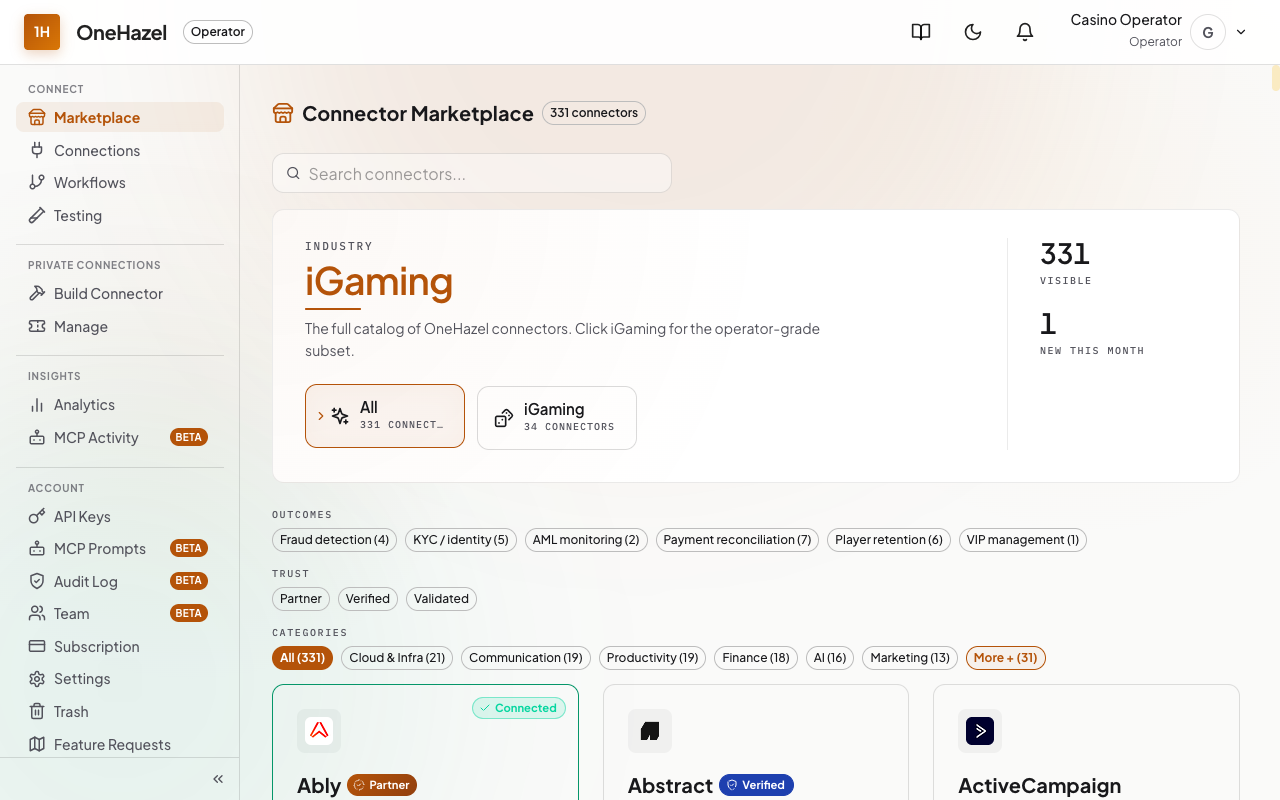
OneHazel sidebar
2
Connecting tools

Find your tool in the Marketplace

300+ integrations ready to connect. Search by name or filter by category.

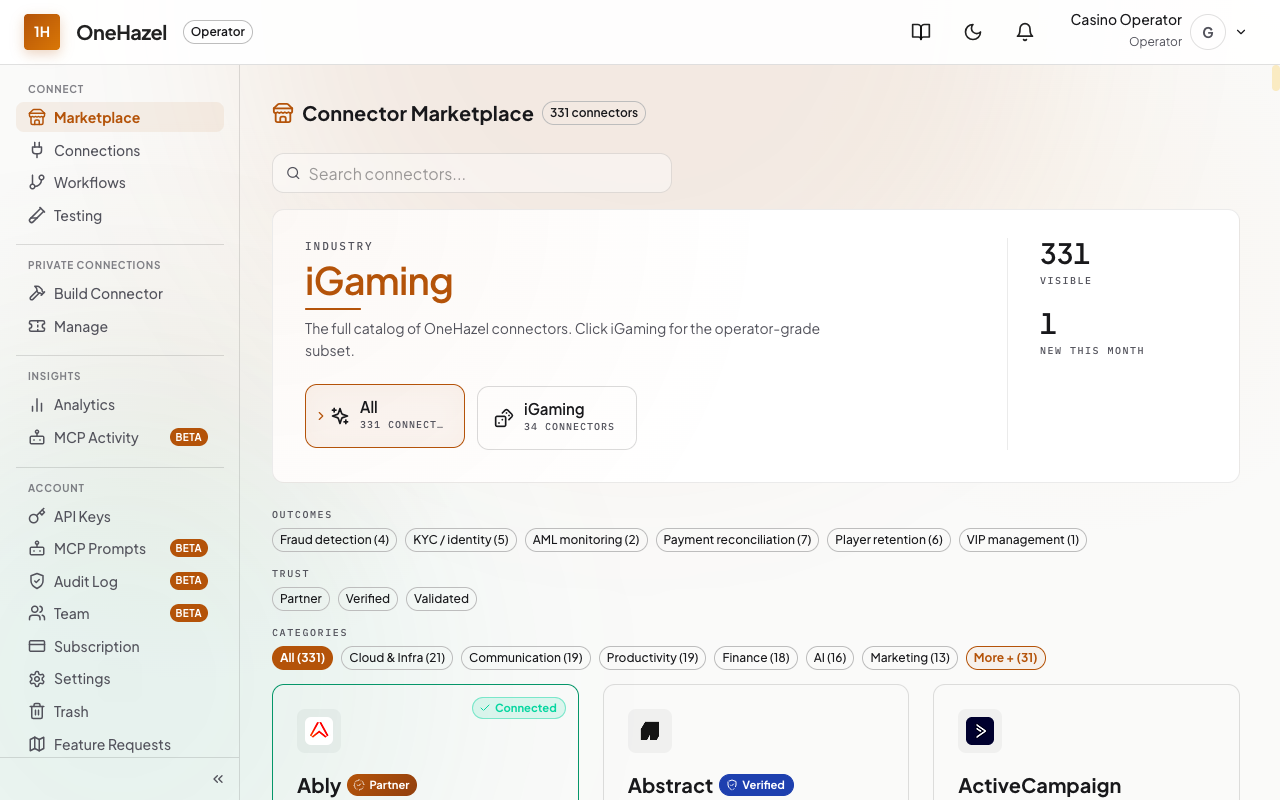
  • 1Go to Connect → Marketplace in the sidebar.
  • 2Search for the tool you use: CRM, KYC service, affiliate platform.
  • 3Click its tile, then click Connect.
OneHazel Marketplace
3
Connecting tools

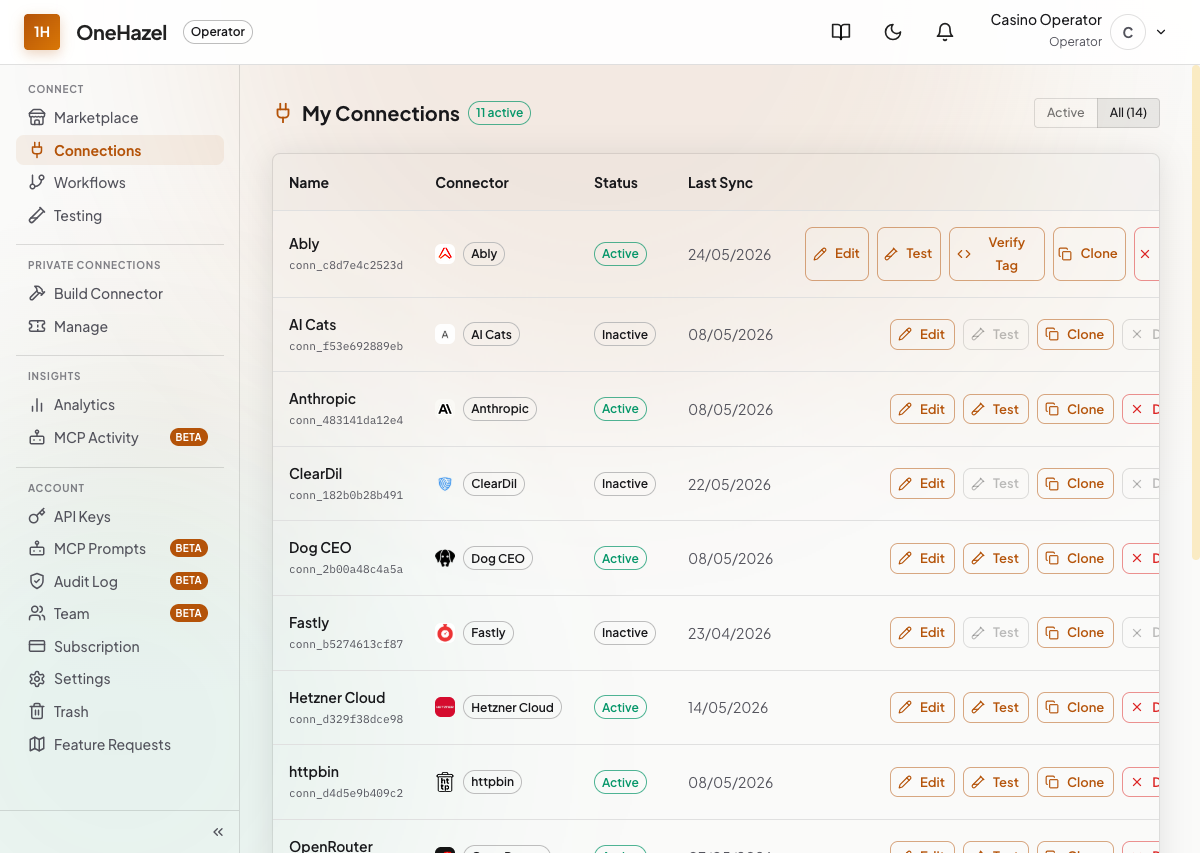
Enter your credentials and test

You'll need the login details for the tool you're connecting, usually an API key from that tool's own settings page.

  • 1Fill in the fields shown (you get these from the tool's website).
  • 2Click Test Connection. A green tick means you're ready.
  • 3The tool appears under Connections. Edit or pause it any time.
🔒

Everything you enter is encrypted. Credentials are never shown back in full.

Connect credentials form
4
Automating work

Workflows run things automatically

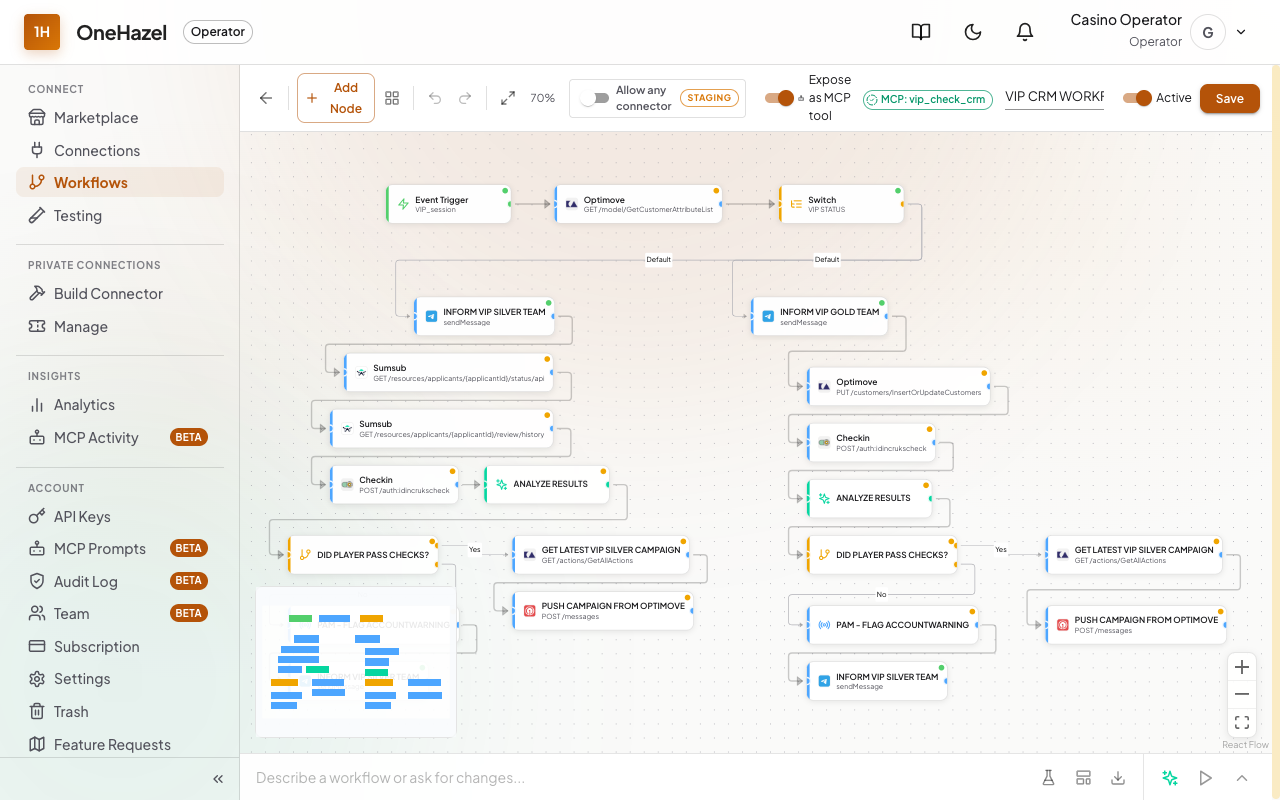
"When a new player registers → send their details to your KYC provider." Build it by dragging boxes. No code, ever.

  • 1Go to Connect → Workflows → New Workflow.
  • 2Add a trigger (the "when") and an action (the "do").
  • 3Run a quick test, switch it on. It runs silently from that point.

Start with the simplest two-box workflow. You can always add more steps later.

Workflow canvas
5
Custom connectors

Build your own connector

If a tool isn't in the Marketplace, you can build a private connector for it. No developers needed.

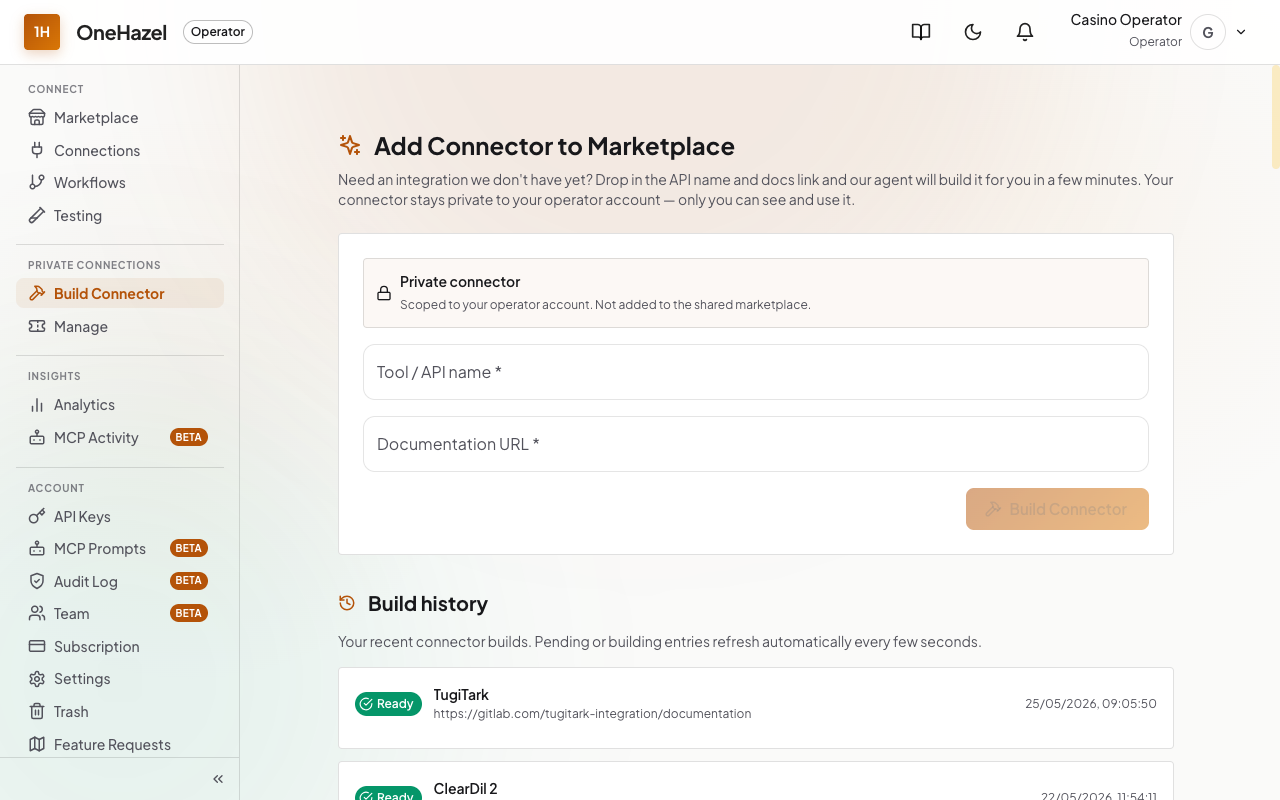
  • 1Go to Private Connections → Build Connector.
  • 2Enter the tool's name and paste a link to its documentation.
  • 3OneHazel's AI builds the connector automatically, usually in under 10 minutes.
🔒

Custom connectors are private to your workspace by default. Only you can see and use them.

Build a custom connector
6
Seeing results

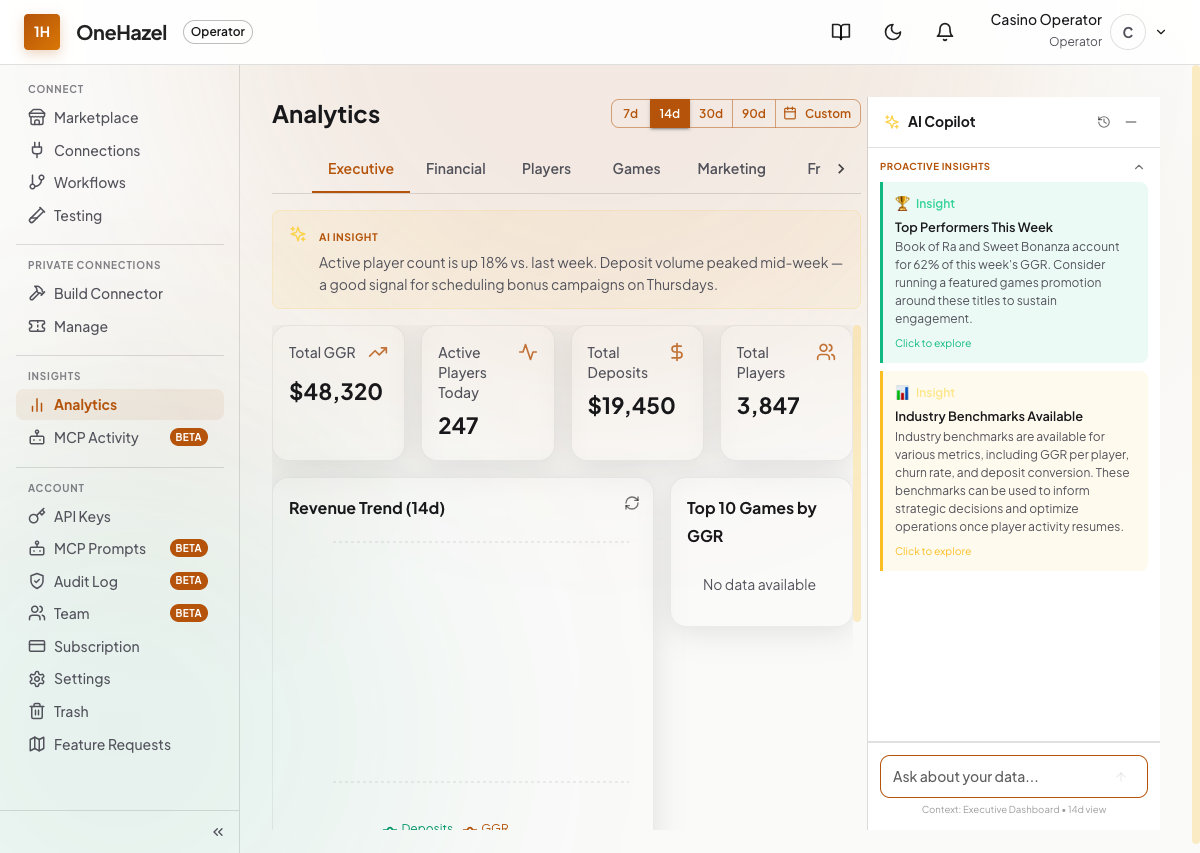
All your numbers in one dashboard

Go to Insights → Analytics to see how your operation is performing.

  • 👥Players: Total registered, active, and new today.
  • 💰Revenue: Money coming in over time. Spot trends instantly.
  • 🎮Games & providers: Which games are getting the most play.
📭

A new account will look empty at first. Numbers appear once data flows in through your connections.

Analytics dashboard
7
Your team

Invite colleagues with the right role

Go to Account → Team, click Invite member, enter their email and choose a role.

Owner

Full control including billing. One per company, usually whoever created the account.

Admin

Can invite and manage members. Can't remove the owner.

Member

Full day-to-day access. Can't manage the team or change billing.
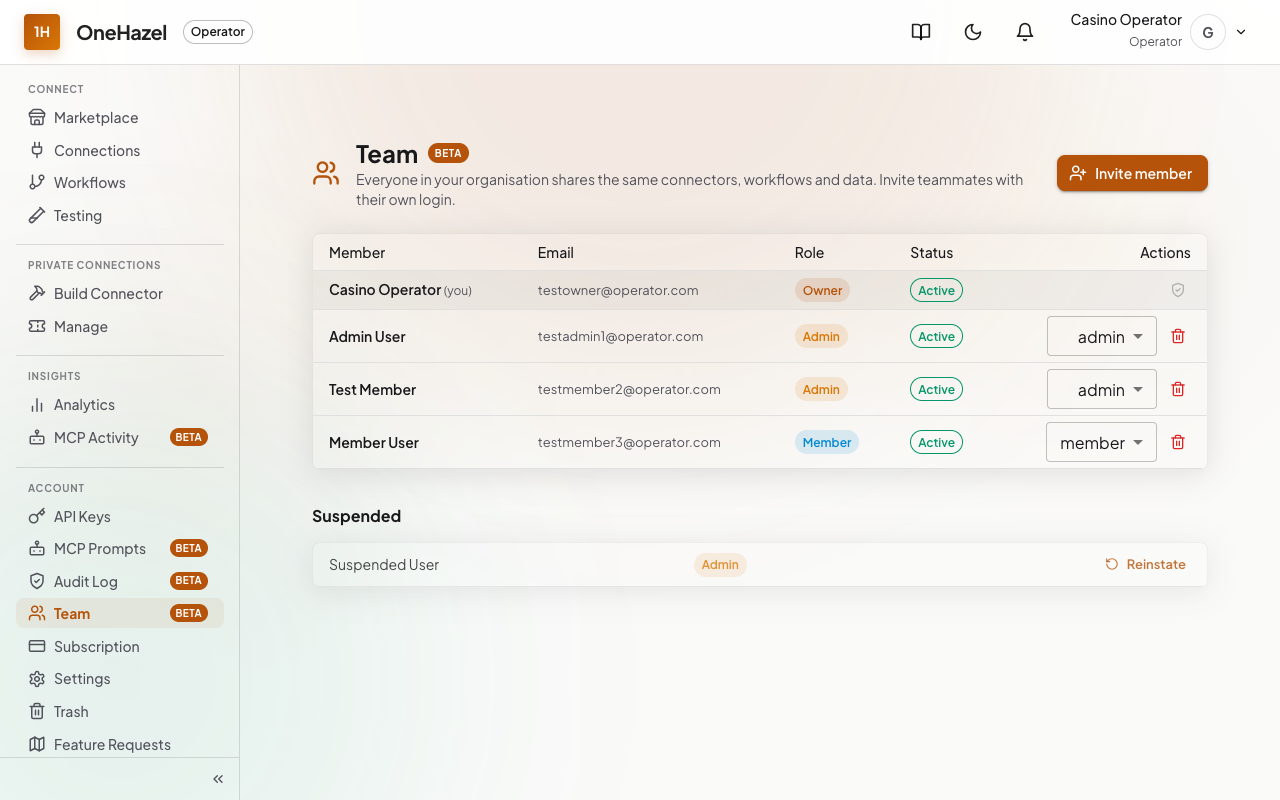
Team management page
8
Your subscription

Managing your plan & add-ons

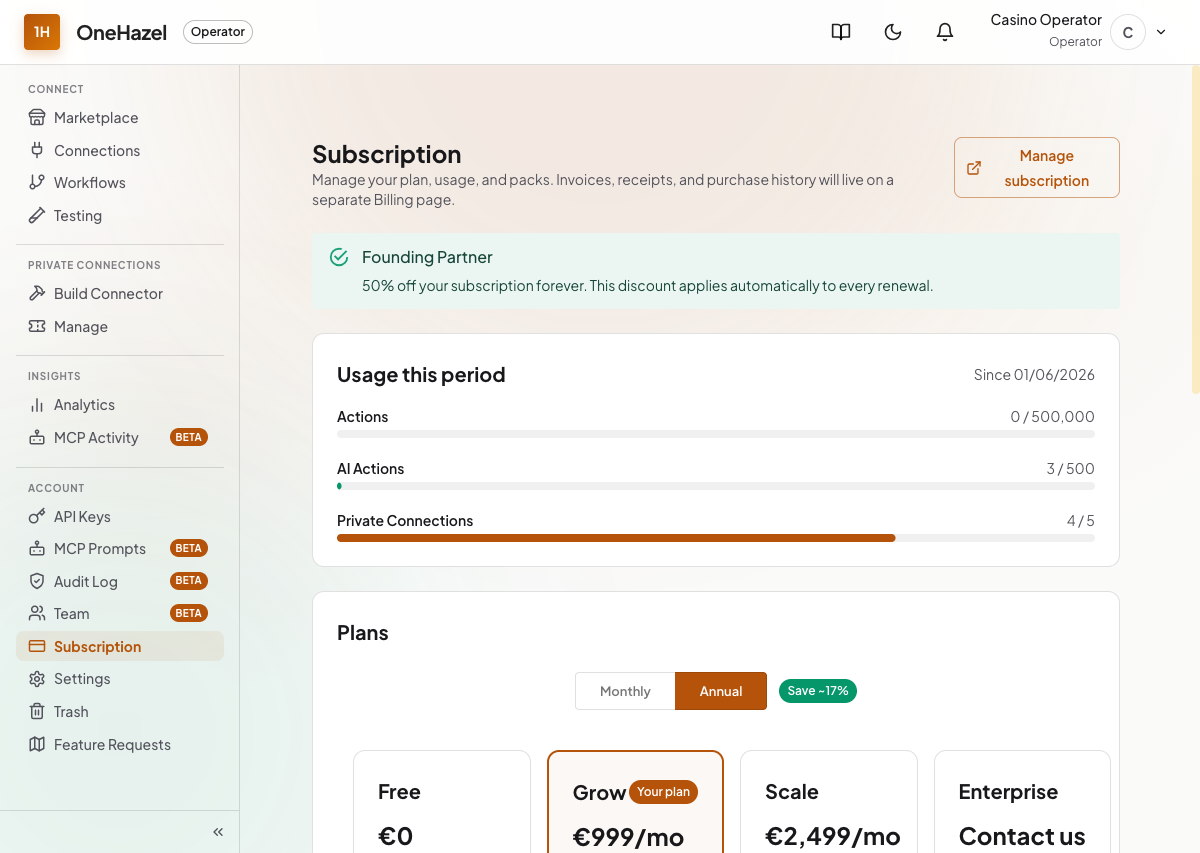
Your plan determines how many connections and workflows you can run. You can upgrade or add capacity at any time.

  • 1Go to Account → Billing in the sidebar.
  • 2View your current plan, usage, and renewal date.
  • 3Click Add pack to purchase extra connections or workflows without upgrading your whole plan.
💳

Changes take effect immediately. Packs are billed monthly alongside your subscription.

Subscription and billing page

For your technical team

Three ways to integrate with OneHazel

Full technical documentation at docs.onehazel.com. Share it with your developers.

🔗

Direct integration

Your platform pushes player and event data into OneHazel via API. The most common starting point for casino operators.

🔄

Reverse integration

OneHazel pulls data from your existing systems on a schedule, ideal if you can't modify your platform directly.

🤝

Seamless integration

A hybrid of both: some data pushed, some pulled, designed to fit your existing infrastructure with minimal disruption.

You're all set

Need help? We've got you.

You're never stuck on your own. Here's where to go when you have a question.

📖

Documentation

Detailed guides for every feature at docs.onehazel.com

💬

Live chat

Use the chat button inside the app for quick questions anytime.

📧

Email support

Include a screenshot; it helps us help you faster.

Start Building →